Your technicians,
running like a telco crew
Surf Crew is the Iterative Billing app for your field technicians. Every job arrives in order with the customer, the house pin and the network behind it, so the crew drives to the right place, fixes the right fault and reports back from the field, without calling the office.
Their experience
What your subscribers see
A technician who arrives at the right house
Directions lead to the pinned house, with the FAT, splitter and POP that serve it on the same map.
Faults fixed on the first visit
The technician sees the fault and every customer it has cut off before leaving, so they bring the right fix.
Updates on WhatsApp
The technician chats with the customer on WhatsApp from inside the job: on my way, arrived, done.
Your control room
What you see
Every job, every status
Pending, working, on hold or completed, updated from the field the moment it changes, with notes and photos.
Your crew on the map
With shift location sharing, which you choose to turn on, the dashboard Team map shows who is on shift and where.
Materials and van stock, tracked
Technicians record the materials each job used, and every van’s stock and stock requests are tracked per technician.
Bonuses without arguments
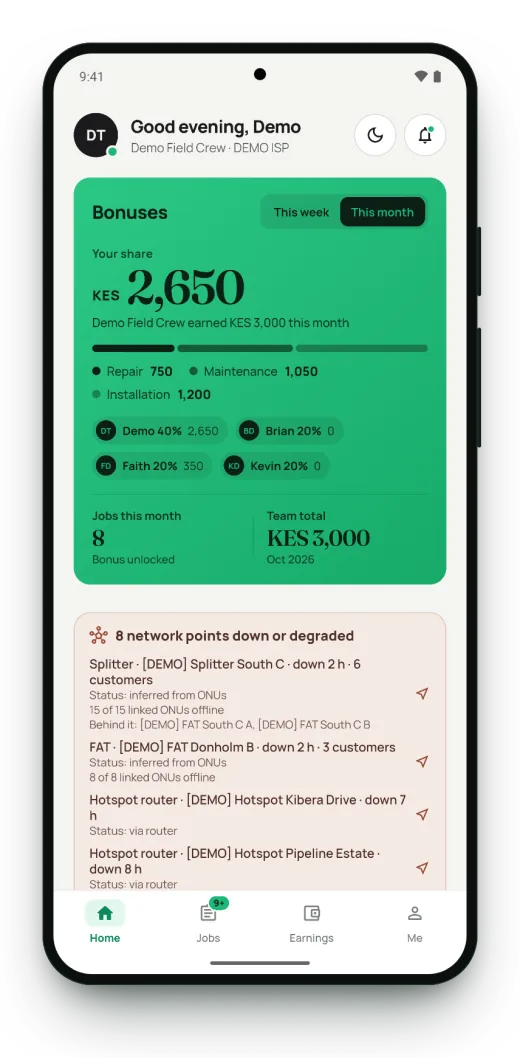
Crew bonuses are split by each member’s share, and every technician sees their share and the crew total.
Work that survives no signal
A job can be completed offline; the update is saved on the phone and sent when signal returns.
Locked down
Sign-in with a phone number and two-factor authentication, a fingerprint lock and sessions that expire.
Inside the app
Every screen your crew works from
Screens show demo data: no real customers, places or phone numbers.
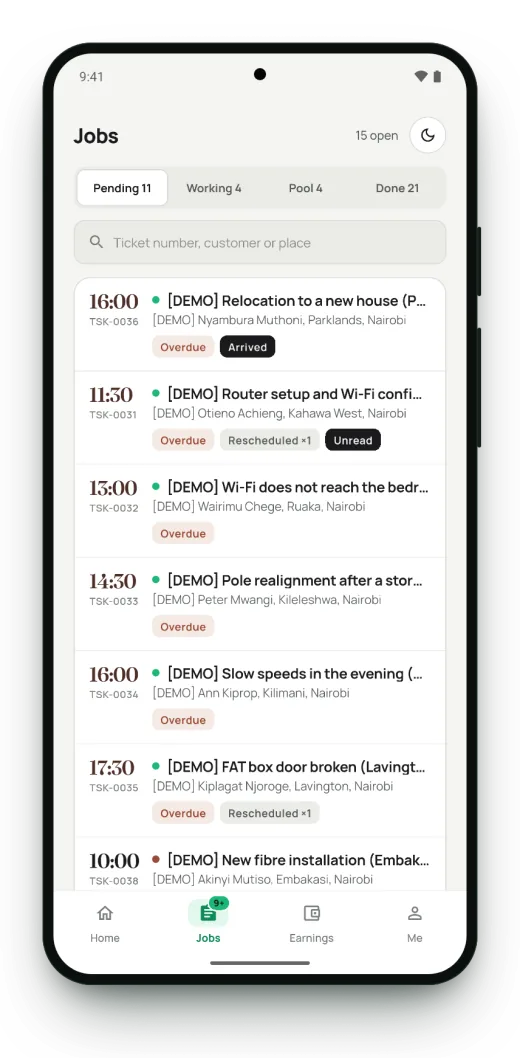
Every job, in order
Pending, working, pool and done, with search by ticket, customer or place.
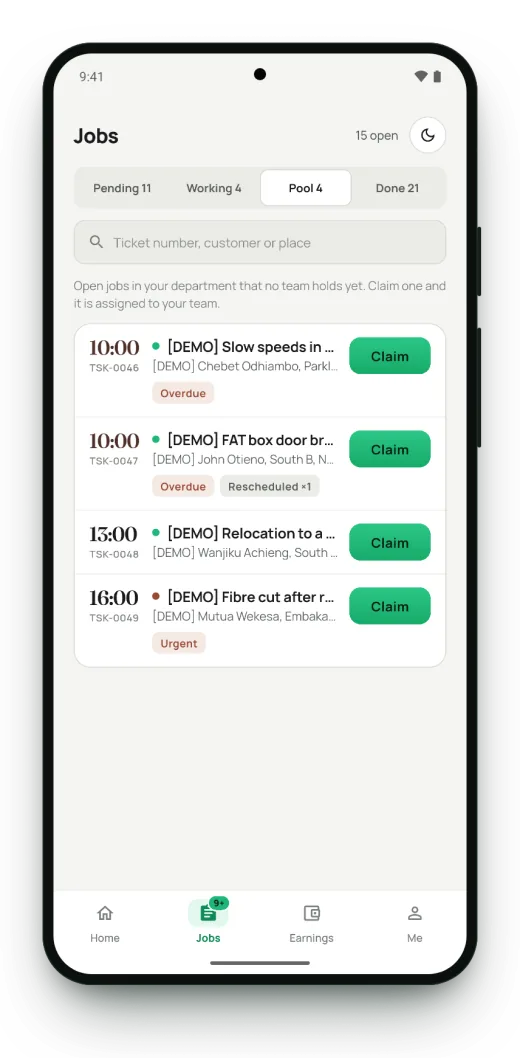
Claim open jobs
Jobs no technician holds yet. Claim one and it is assigned to you.
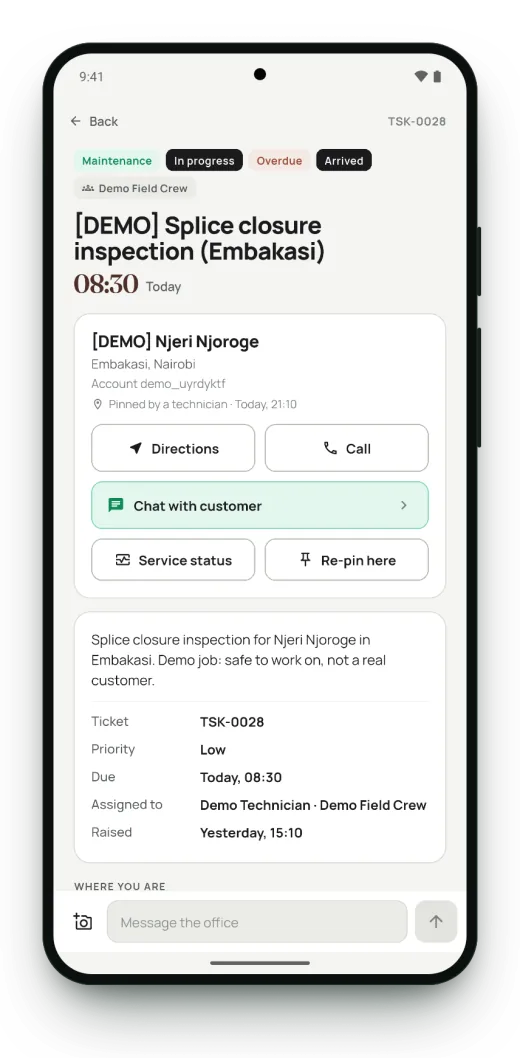
The whole job on one screen
Customer, place, account and the office’s notes, with directions, a call button and chat.
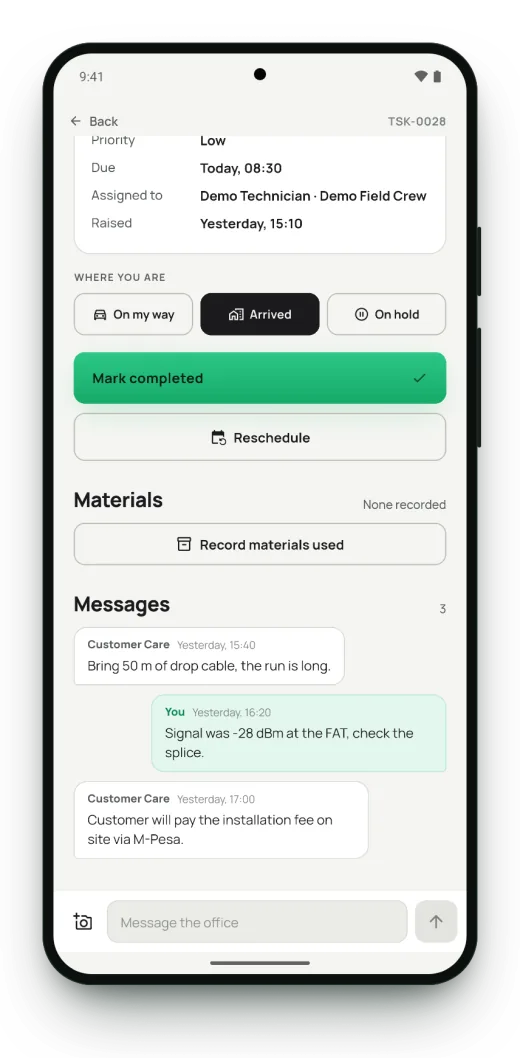
Update the job from the field
On my way, arrived, on hold or completed, plus the materials used and notes to the office.
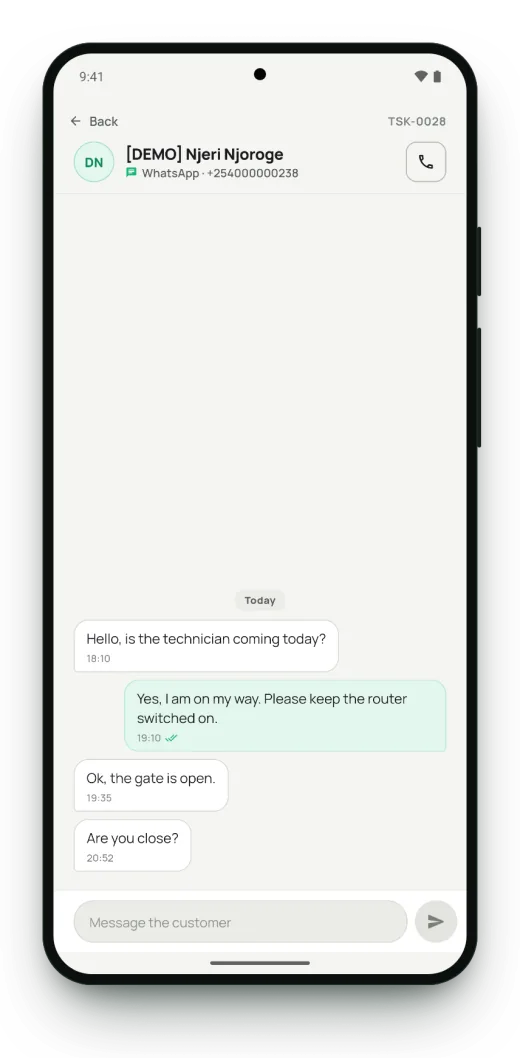
Chat with the customer
WhatsApp messages with the customer, right inside the job.
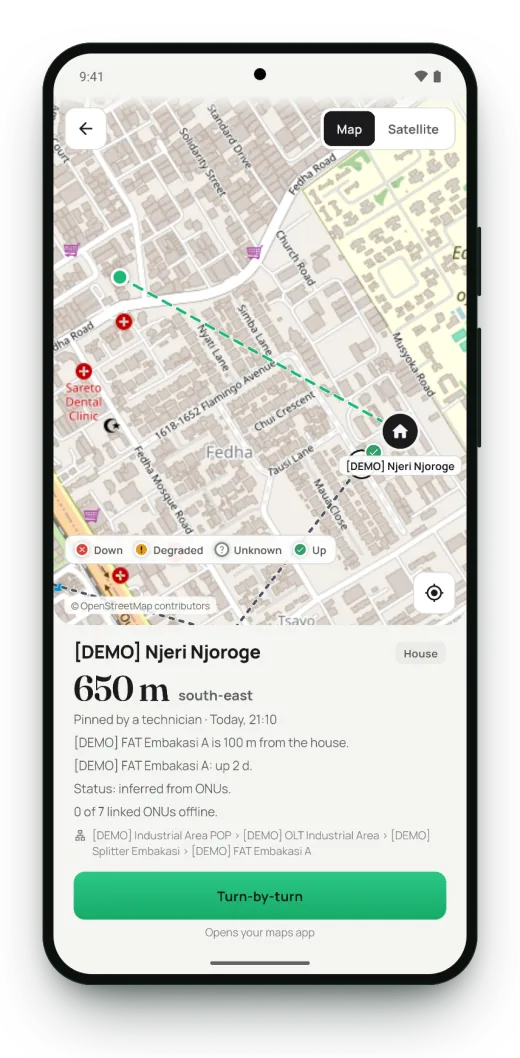
Directions, with the network on the map
How far the house is, the FAT that serves it, and the line back to the POP.
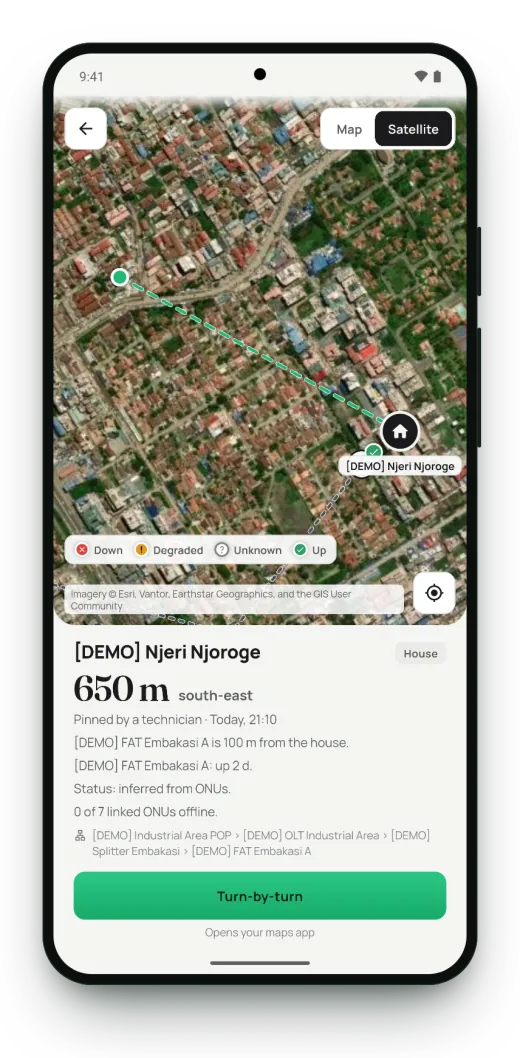
Street or satellite view
Find the right gate, pole or rooftop before you get there.
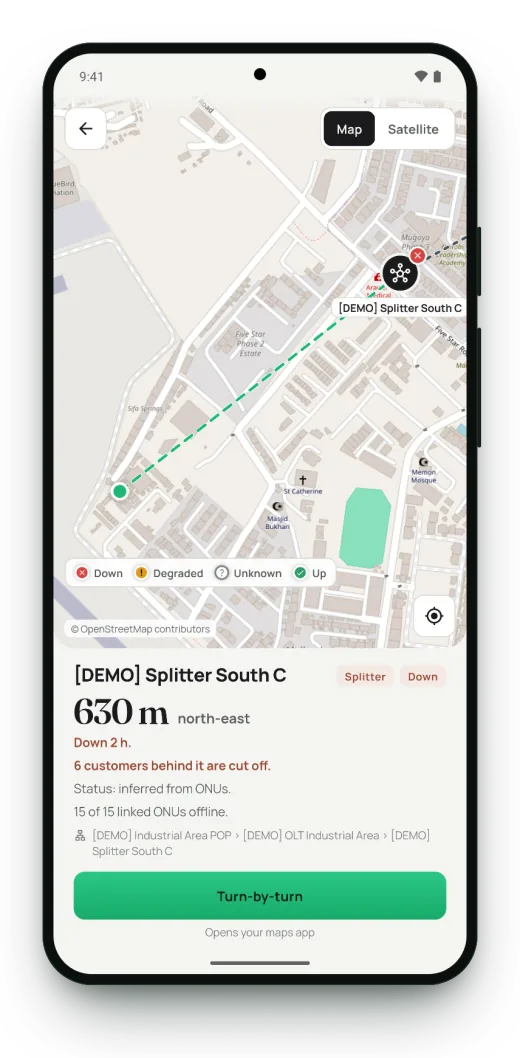
Go straight to the fault
How far the down splitter is, and how many customers it has cut off.
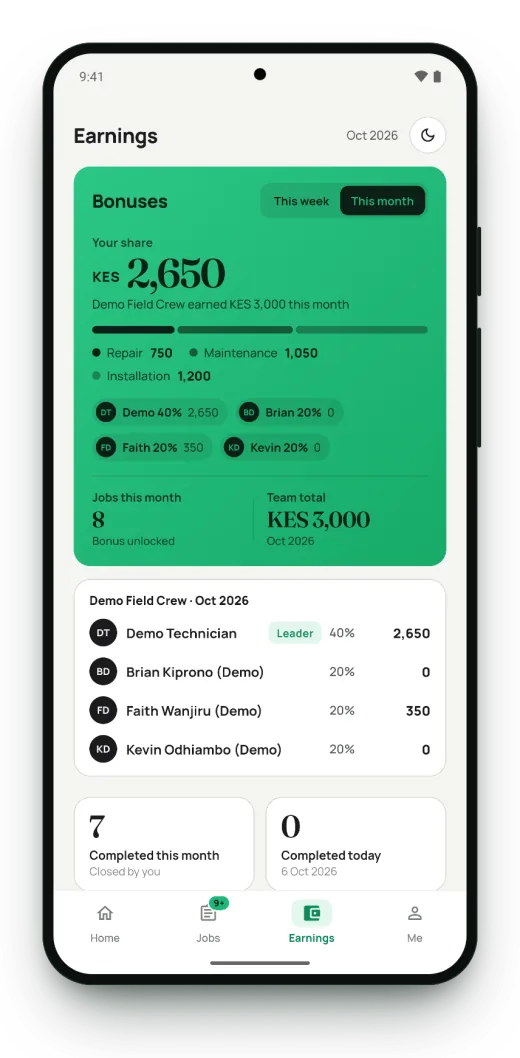
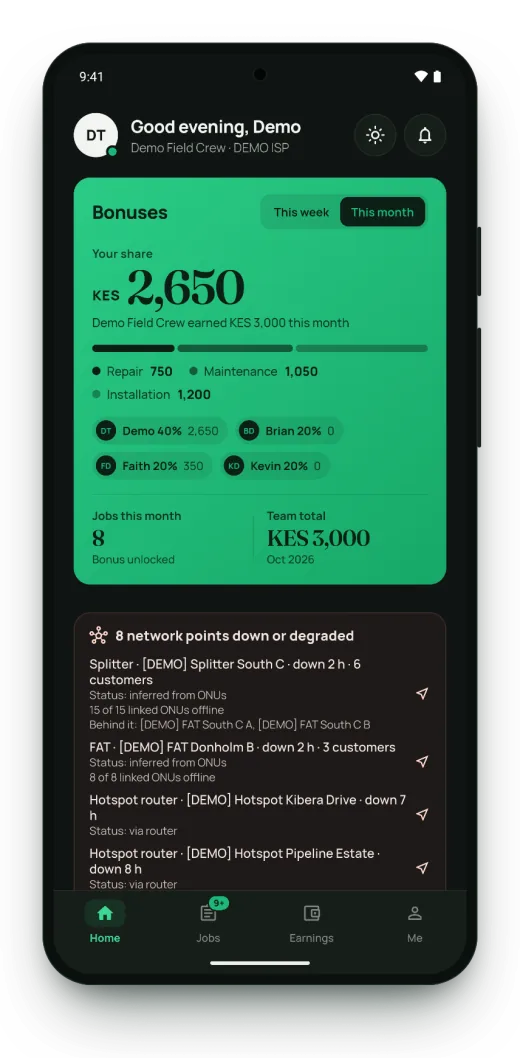
Bonuses, split by share
Your share, your crew’s total and what each member earned this month.
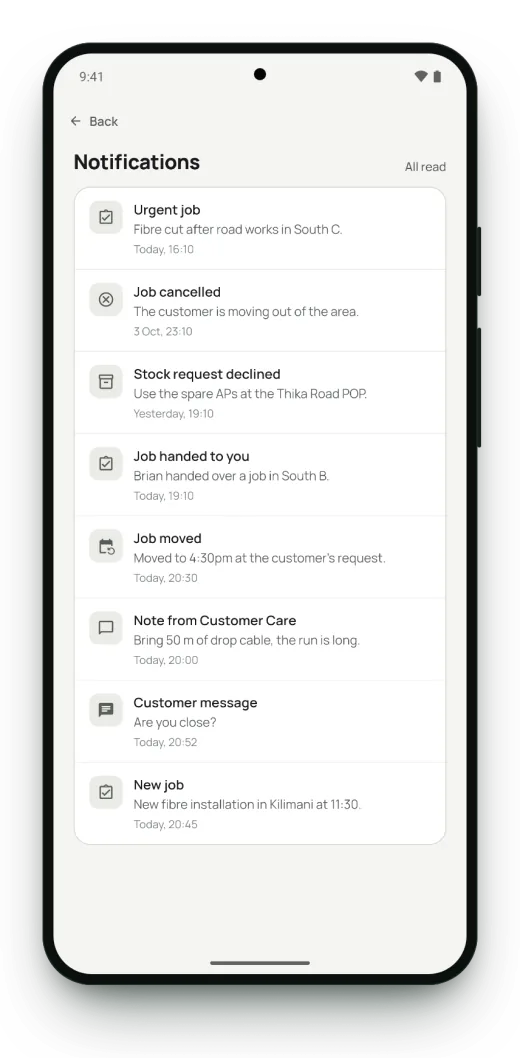
Never miss a change
New and moved jobs, notes from the office, stock answers and customer messages.
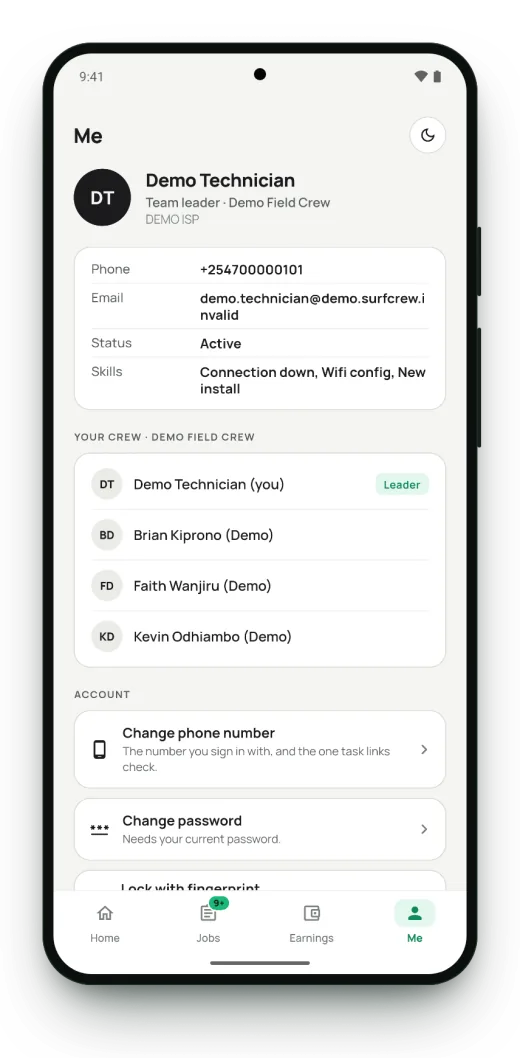
Your account and your crew
Your details, your crew, a fingerprint lock, and light or dark.
Light or dark
Light by default, dark for night shifts, or follow the phone.
How it works
- 1
Add your technicians
Create staff logins with their phone numbers and group them into crews.
- 2
Assign or pool the jobs
Assign tickets to a technician, or leave them in the open pool for any crew member to claim.
- 3
Let the field report in
Statuses, materials, photos and customer chats flow back to the dashboard as the crew works.
Questions operators ask
Does Iterative Billing have a technician app?
Yes. Surf Crew is the Iterative Billing app for an ISP’s field technicians, built for Android and iPhone. It gives each technician their jobs in order, directions with the network on the map, faults and the customers they affect, WhatsApp chat with the customer, materials and van stock, notifications and crew bonuses.
Does the technician app work without internet?
Yes, for completing jobs. A technician can complete a job with no signal; the update is saved on the phone and sent automatically when the connection returns.
Can I see where my technicians are?
Yes, if you turn on shift location sharing. Technicians share their location only while they are on shift, and the Team map on your dashboard shows who is out and where.
How do technicians find the customer and the fault?
Each job opens on a map with the customer’s pinned house and the network behind it: the FAT, splitter and POP, with the distance and direction. A down splitter or FAT shows how many customers it has cut off, in street or satellite view.
How is the technician app secured?
Technicians sign in with their phone number and a password set by the ISP’s administrator, with two-factor authentication, a fingerprint lock on the app and sessions that expire.
Run your network like a telco
Iterative Billing is application-only. Tell us about your network and we review it within one business day; approved networks start with a 3-day trial.
Also on your phone

